


A website redesign can improve user experience, strengthen brand identity, and increase conversions, but launching major changes without testing them can put existing traffic and revenue at risk. Even an attractive website may perform worse if visitors struggle to navigate it, important calls to action become less visible, or pages take longer to load. Businesses should therefore treat redesigns as measurable experiments rather than decisions based only on appearance.
A/B testing helps businesses compare their existing website with a redesigned version before committing to a full rollout. Instead of replacing every page at once, teams can test selected changes, monitor visitor behaviour, and identify which improvements deliver meaningful results. This approach is especially useful for companies that depend on organic search traffic, lead generation, or online sales.
Businesses planning a redesign may choose to hire web designer professionals who understand usability, performance, and conversion-focused design. Whether a company uses an internal team or outsources web design, the objective remains the same: improve the website without unnecessarily disrupting search visibility or business performance.
Why A/B Testing Matters for Website Redesigns
A redesign involves more than changing colours, fonts, images, and layouts. It can influence how visitors find information, navigate between pages, complete forms, and make purchasing decisions. A cleaner navigation menu might look modern but make important services harder to discover. A new landing page might contain better visuals but place the main enquiry button too far down the page.
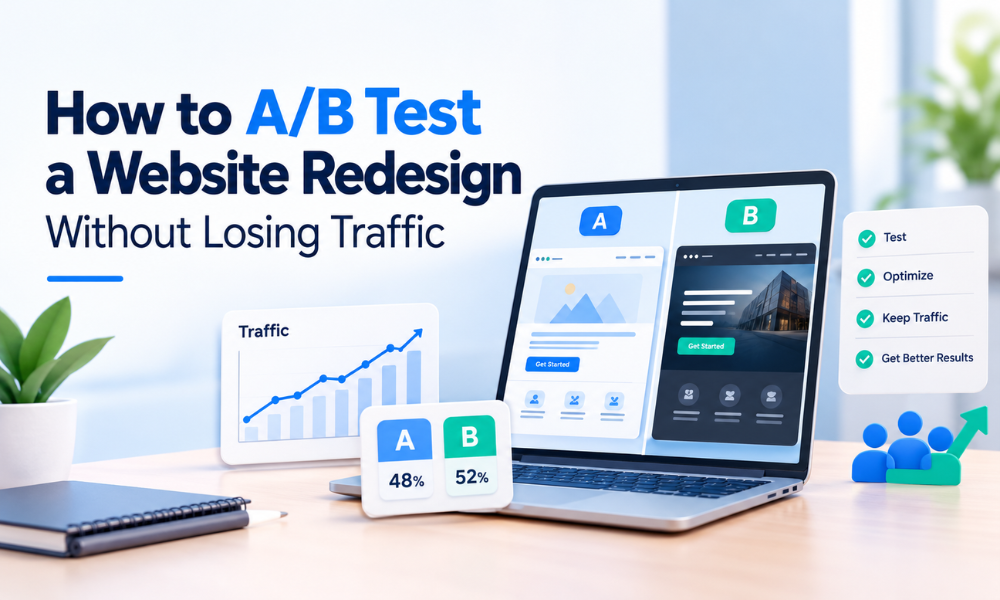
A/B testing helps businesses evaluate these changes using real visitor behaviour. Version A represents the existing website, while Version B introduces a specific design variation. Eligible visitors are assigned to one version, and performance is measured against predetermined objectives.
For example, a business might test whether a simplified service page generates more qualified enquiries than its current layout. If the new version performs better without creating technical or usability problems, the business can consider expanding the change. If performance declines, the team can revise the design before rolling it out widely.
This process reduces guesswork and helps businesses make informed decisions. It also creates opportunities to learn which elements influence engagement, conversions, and customer confidence.
Step 1: Establish a Baseline Before Making Changes
Before testing a redesigned website, understand how the existing version performs. Without baseline data, it becomes difficult to determine whether a change improved results or whether performance shifted because of seasonality, marketing campaigns, or changes in search demand.
Review several weeks of analytics data, using a longer period when traffic patterns are seasonal or inconsistent. Examine organic search, paid advertising, referral, direct, and other relevant traffic sources. Identify the pages that attract visitors and contribute most to enquiries, purchases, or other business goals.
Record important metrics such as conversion rate, qualified leads, revenue per visitor, form completion rate, engagement with key pages, and checkout abandonment. For SEO, monitor organic landing-page sessions, search impressions, click-through rates, and the performance of high-value URLs.
Segment the data by device, acquisition channel, and landing page where practical. This can reveal whether mobile visitors experience different problems from desktop users or whether organic visitors respond differently from paid traffic.
Also document technical performance, including loading speed, Core Web Vitals, broken links, and indexability. These measurements will help you identify whether the redesign introduces problems that were absent from the original website.
Step 2: Identify High-Impact Pages and Set Clear Goals
Not every page needs to be tested at the same time. Begin with pages that have a direct influence on business outcomes, such as service pages, product pages, pricing pages, lead generation forms, and high-traffic landing pages.
Use analytics, heatmaps, session recordings, customer feedback, and usability testing to identify friction points. Visitors might abandon a long form, overlook an important button, or struggle to locate relevant information. These observations can guide the redesign and provide a foundation for meaningful experiments.
Create a specific hypothesis for every test. Instead of stating that a new homepage will look better, define an expected outcome, such as: simplifying the navigation will increase visits to important service pages without reducing qualified enquiries.
Before launching, choose one primary success metric and supporting indicators. A lead generation website might measure qualified submissions per visitor, while an ecommerce business could prioritise completed purchases or revenue per visitor. Supporting metrics can include form abandonment, engagement, and page performance.
Businesses that hire website designer professionals should share these findings before the design process begins. This helps ensure the new experience addresses actual visitor problems rather than relying entirely on subjective design preferences.

Step 3: Protect SEO Before Running the Test
Organic search traffic can be affected by technical changes introduced during a redesign. Search engines use page content, URLs, internal links, canonical tags, and crawlability to understand a website. Unplanned changes can affect visibility even when the new design looks better.
If the purpose of the experiment is to evaluate a layout, keep the URL, primary topic, title tag, canonical URL, and core content consistent whenever possible. Changing multiple SEO elements alongside the visual design makes it harder to identify the cause of any performance shift.
When URLs must change, prepare a redirect map and implement appropriate permanent redirects. Update internal links, XML sitemaps, canonical tags, and structured data where necessary. Check that important pages remain crawlable and indexable.
A/B testing should not be implemented in ways that deceive search engines or show crawlers substantially different content from the experience intended for visitors. Avoid sending search engine bots to special versions unavailable to ordinary users.
For a large redesign, consider testing representative page templates before changing the entire website. This makes it easier to identify problems while limiting the number of pages exposed to potential technical issues.
Step 4: Select the Right A/B Testing Method
The testing method should reflect the scale of the redesign, available traffic, and the question being investigated.
Test individual elements
Traditional A/B testing works well for focused changes, including headlines, calls to action, navigation labels, form layouts, and content hierarchy. Version A retains the existing experience, while Version B introduces a specific variation.
Changing a limited number of related elements makes results easier to interpret. However, the change must address a meaningful problem. If visitors abandon a form because it requests too much information, changing only the button colour is unlikely to solve the issue.
Compare redesigned page templates
For a larger redesign, a business might compare an existing service page with a new template featuring improved content organisation, trust signals, and a clearer enquiry form. This approach evaluates a broader experience but may not reveal which individual design choice caused the result.
Use staged rollouts for major changes.
A complete website redesign may involve navigation, multiple page templates, integrations, and technical changes. A staged rollout allows teams to release updates gradually and monitor stability before expanding the launch.
However, staged rollouts are not automatically equivalent to randomised experiments. Differences between page groups or visitor behaviour can influence results, so account for these limitations when evaluating performance.
Step 5: Build and Validate the Redesigned Experience
Develop the new version in a controlled environment before exposing it to a significant share of visitors. A staging site allows the team to check layouts, forms, integrations, content, and responsive behaviour without disrupting the live website.
Set up consistent visitor assignment so returning users do not repeatedly switch between versions. Verify that analytics events, conversion tracking, and form submissions work correctly in both experiences.
Test the entire customer journey, not just the landing page. A redesigned page may appear perfect while its scheduling tool fails, its contact form stops submitting, or its payment integration behaves incorrectly.
Review common browsers and screen sizes. Check keyboard navigation, accessible labels, focus states, mobile layouts, and interactive components. Confirm that consent settings and analytics tracking continue to function as expected.
Businesses that hire web designer specialists should ensure designers collaborate with developers and analytics teams during implementation. The visual concept is only one part of the process; the final experience must be technically reliable and measurable.
Also watch for page flicker caused by scripts that modify the layout after the page starts loading. Heavy testing scripts can delay visible content or create distracting layout changes, undermining both user experience and experiment quality.

Step 6: Monitor Traffic and Performance During Testing
Once the experiment is live, monitor the results and the technical health of the website. The goal is not to react to every daily fluctuation but to identify problems that could affect visitors or invalidate the experiment.
Check that visitors are assigned to the correct versions and that conversion events fire only when the intended actions occur. Investigate unusual differences in traffic distribution, broken pages, or tracking inconsistencies.
Review performance by acquisition channel and device. If a redesign works well for paid visitors but poorly for organic visitors, investigate whether audience intent, content changes, or technical problems explain the difference.
Track organic landing-page sessions and relevant search performance. Short-term fluctuations do not automatically mean the experiment caused an SEO problem. Search demand, competitors, algorithm updates, and external campaigns can influence results.
However, sudden increases in 404 errors, unexpected redirects, blocked pages, or serious loading problems require prompt investigation. Establish clear rules for pausing the test if critical functionality breaks or performance deteriorates substantially.
Step 7: Measure Business Outcomes, Not Just Clicks
More clicks do not necessarily mean a better website. A redesign might increase button interactions without improving leads, purchases, or revenue. Therefore, evaluate outcomes that reflect genuine business value.
For lead generation websites, measure completed enquiries, lead quality, and the proportion of submissions that progress into sales opportunities. A design that generates more submissions but attracts unsuitable prospects may not improve business performance.
For ecommerce websites, consider completed purchases, revenue per visitor, average order value, and checkout abandonment. Select metrics that match the website’s business model and the purpose of the experiment.
Combine quantitative data with qualitative feedback. Analytics can show where visitors leave, while usability testing and customer feedback can help explain why. Review relevant Core Web Vitals, including Largest Contentful Paint, Interaction to Next Paint, and Cumulative Layout Shift, to understand whether the redesign affects loading, responsiveness, or visual stability.
The strongest decisions come from considering conversion performance, visitor experience, technical quality, and commercial value together.

Step 8: Decide Whether to Launch, Revise, or Roll Back
Evaluate the final results against the success criteria established before the experiment began. Do not declare the redesigned version successful simply because one secondary metric improved.
If the variation meaningfully improves the primary metric without unacceptable harm to other important indicators, consider a gradual rollout. Continue monitoring performance as more visitors experience the new design because test results may not perfectly predict the effect of a full launch.
If the results are inconclusive, check whether the experiment had enough traffic and ran for an appropriate duration. An inconclusive result does not prove that both versions perform identically; it means the available evidence may be insufficient to distinguish them reliably.
If the redesigned version performs worse, investigate the reasons before making another change. The layout may hide essential information, the form may be too complicated, or mobile visitors may struggle with the new navigation.
Prepare a rollback plan before testing begins. Teams should know how to restore the original version, disable faulty scripts, and resolve technical issues quickly. Document the hypothesis, test period, implementation, results, limitations, and final decision so future experiments can build on what has been learned.
Step 9: Choose the Right Website Design Partner
Successful redesign testing combines design expertise, development, analytics, and SEO knowledge. Businesses do not always need a large internal team, but they should clearly define responsibilities and choose professionals who understand performance as well as appearance.
When you hire website designer talent, review portfolios, responsive design experience, accessibility knowledge, and familiarity with conversion-focused projects. Ask how the designer incorporates analytics findings and validates layouts before launch.
Some businesses may hire web designer in india professionals to access design expertise within their project budgets. Evaluate portfolio quality, communication, technical understanding, and the ability to coordinate with developers and SEO specialists rather than basing the decision on cost alone.
Others may outsource web design to an agency that can coordinate research, design, development, and optimisation. This can simplify projects requiring multiple skills, provided responsibilities for testing, analytics, and approvals are clearly defined.
A freelance website designer may be a suitable option for landing-page improvements or smaller redesigns. For larger projects, establish whether the designer can manage implementation and quality assurance or whether additional specialists are required.
Whichever model you choose, make evidence-based optimisation part of the working process instead of treating the redesign as a one-time visual update.

Common A/B Testing Mistakes to Avoid
One common mistake is changing URLs, content, navigation, and visual design simultaneously without a clear migration plan. When performance changes, identifying the cause becomes difficult.
Another is launching tests before validating analytics. Missing events, duplicate conversions, and inconsistent visitor assignment can create misleading results. Always verify measurement before concluding.
Testing too many variations can also weaken results, particularly when traffic is limited. Focus on a few high-impact hypotheses and allow experiments to gather enough data.
Do not overlook mobile visitors. A layout that works well on desktop may introduce difficult forms, oversized images, or obstructive pop-ups on smaller screens. Test the experience across the devices your audience actually uses.
Finally, statistical significance should not be the only consideration. A small improvement may have little commercial value, while an encouraging result from a small sample may be too uncertain to justify a full rollout. Consider practical impact, uncertainty, and technical quality together.
Conclusion
A website redesign does not have to put existing traffic, search visibility, or conversions at unnecessary risk. By establishing a performance baseline, prioritising important pages, protecting SEO fundamentals, and testing focused changes, businesses can make improvements with greater confidence.
Whether you hire web designer in india talent, work with a freelance website designer, or choose to outsource web design, the process should be guided by clear goals, reliable measurement, and ongoing monitoring.
For businesses working with Your Cloud Hub, A/B testing can connect design improvements with broader objectives, including better user experience, sustainable organic visibility, and higher-quality conversions. Treat every redesign as an opportunity to learn from real visitors and continuously improve the website.